 Quick ASO
The App Store keyword workbench that never sleeps.
Quick ASO is an App Store optimization (ASO) tool: it tracks every phrase, watches the apps outranking you, and tells you the one change worth making — all from Apple's own search, autocomplete and charts.
Free to start · 8 workbenches · see how it works · what is ASO?
Know in seconds
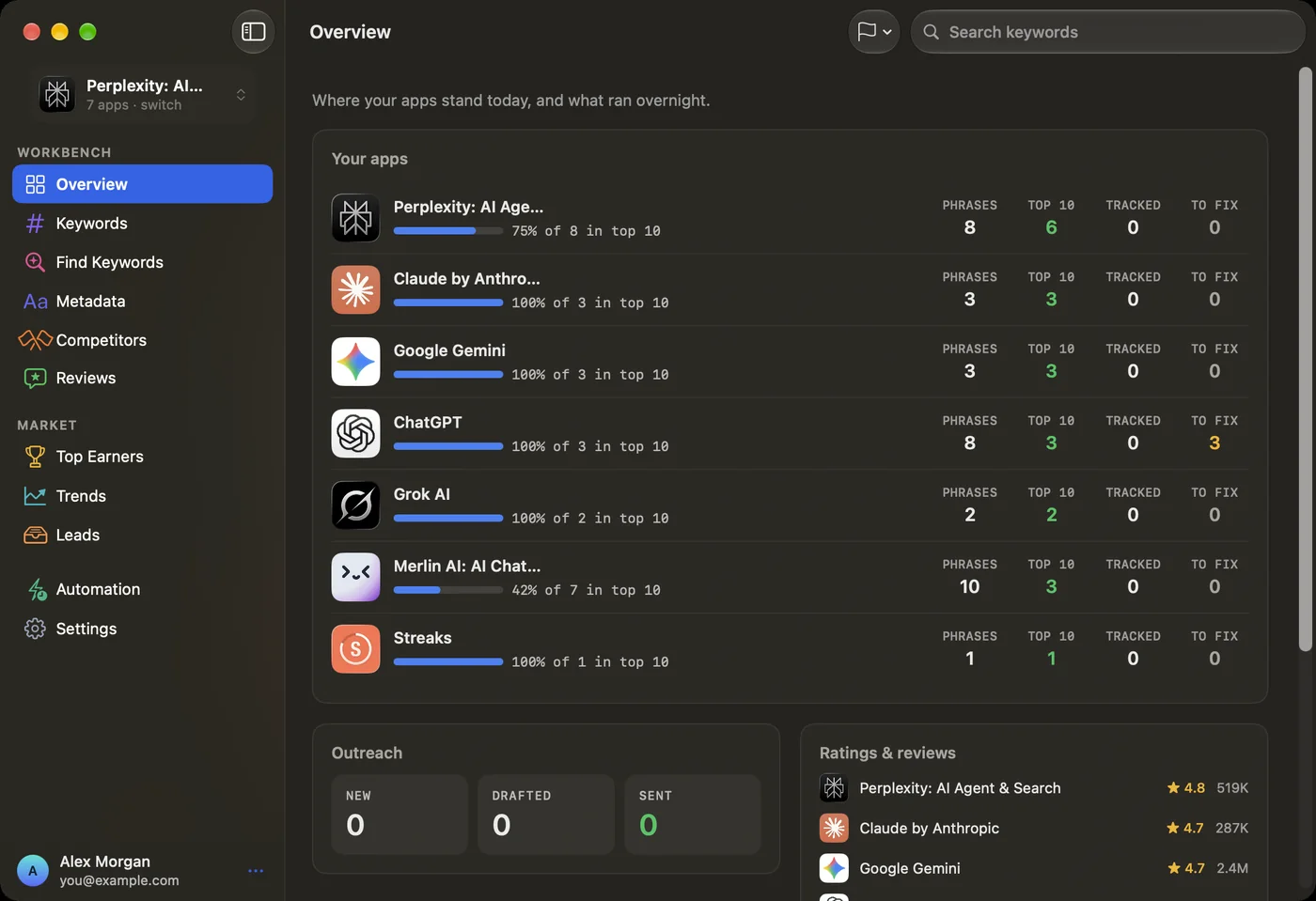
Where every phrase ranks, and the single fix worth making tonight.
Read from your store
The phrases Apple actually sees in your title and subtitle — nothing guessed.
Catch the climbers
Rising searches and new apps, before the keyword gets crowded.
One place. Every phrase, handled.
Each screen reads live from Apple, so the picture in front of you is today's — not a stale export.
It scores every phrase it sees.
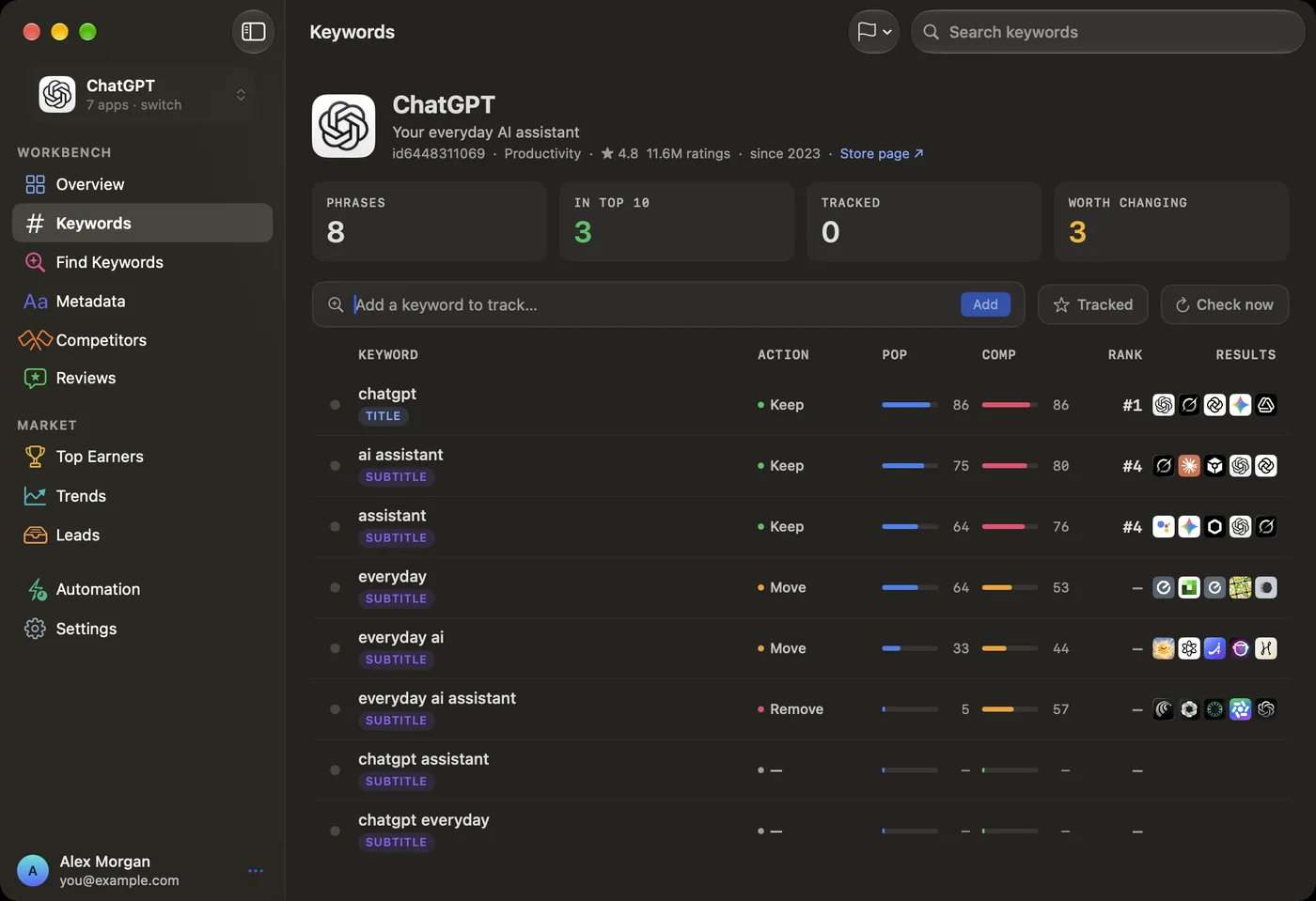
Popularity, competitiveness and your live rank on each phrase — with a clear call on what to do about it.
It shows who takes your taps.
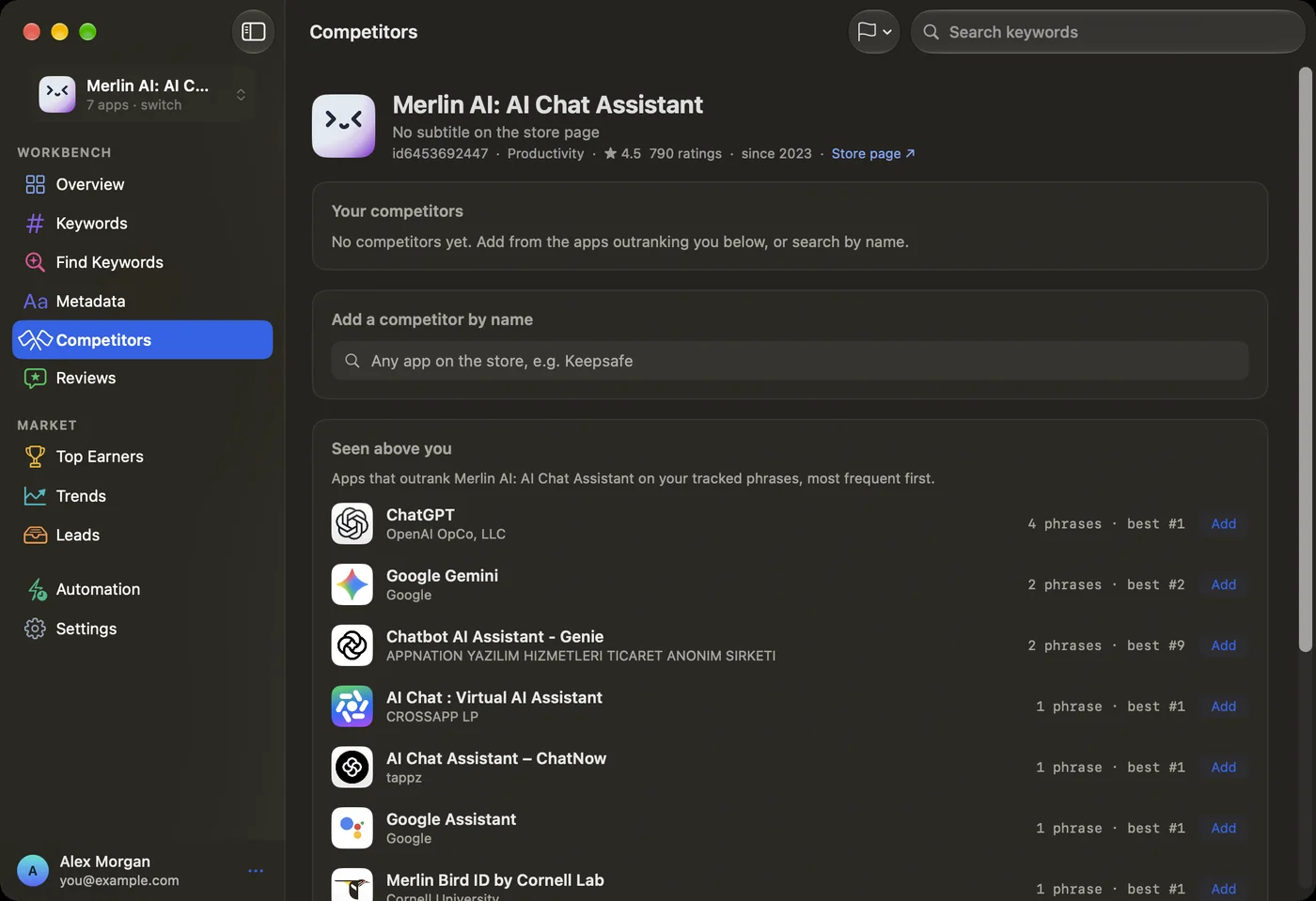
The apps ranking above you on your own phrases, ordered by how often they beat you — add any rival in one click.
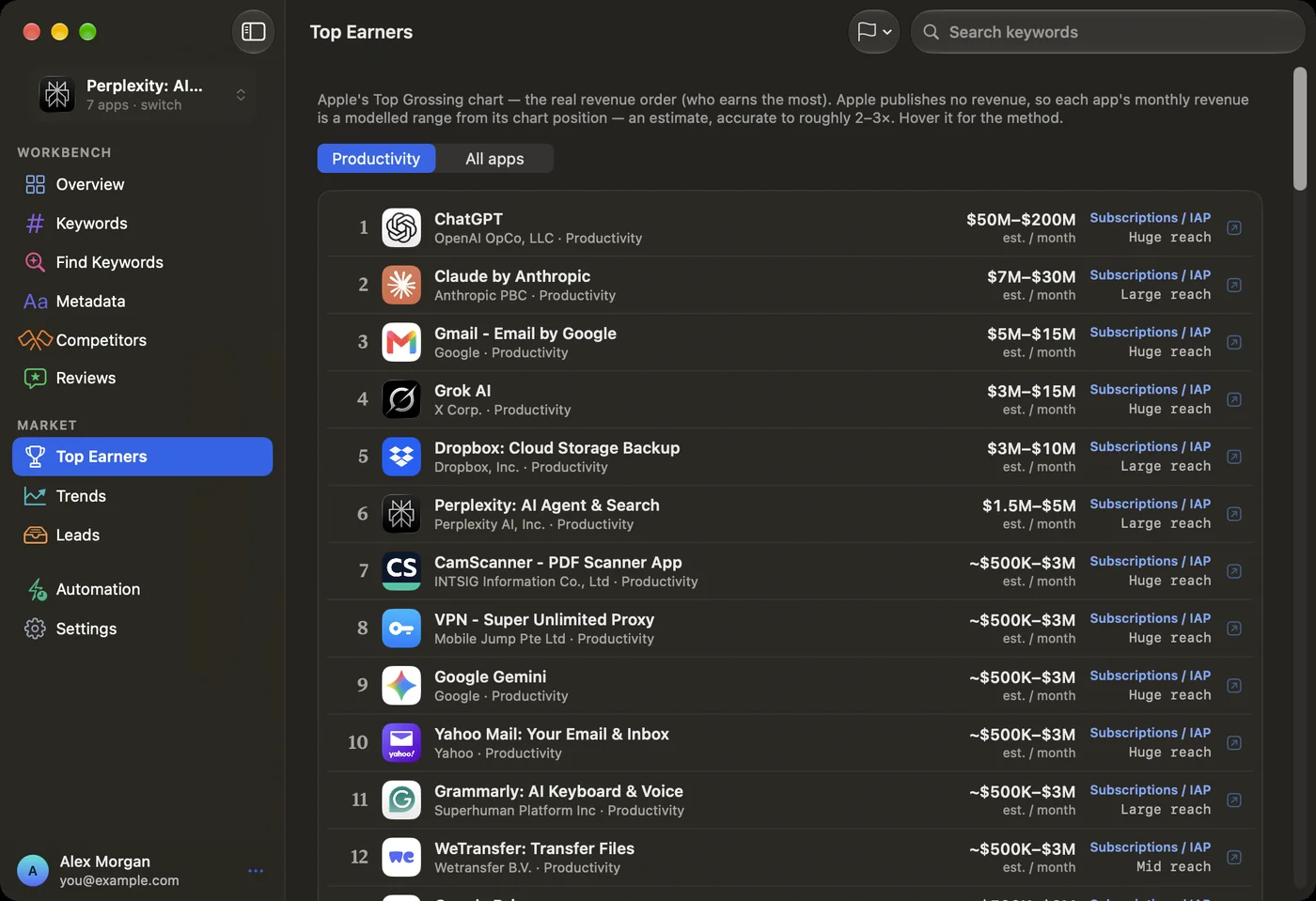
It studies who makes the money.
Apple's Top Grossing chart with an estimated monthly revenue range for every app — modelled from chart position and clearly labelled, because Apple publishes none.
Every ASO job it touches.
From keyword research and rank tracking to competitor analysis and metadata writing — eight screens, one native app.
Overview
Every app at a glance — and what's worth fixing tonight.
Keywords
Track, add and star phrases with a clear action on each.
Find Keywords
Autocomplete expansions of your own words, ready to add.
Metadata
Edit title, subtitle and keyword field with live counts.
Competitors
Who outranks you, and how to close the gap.
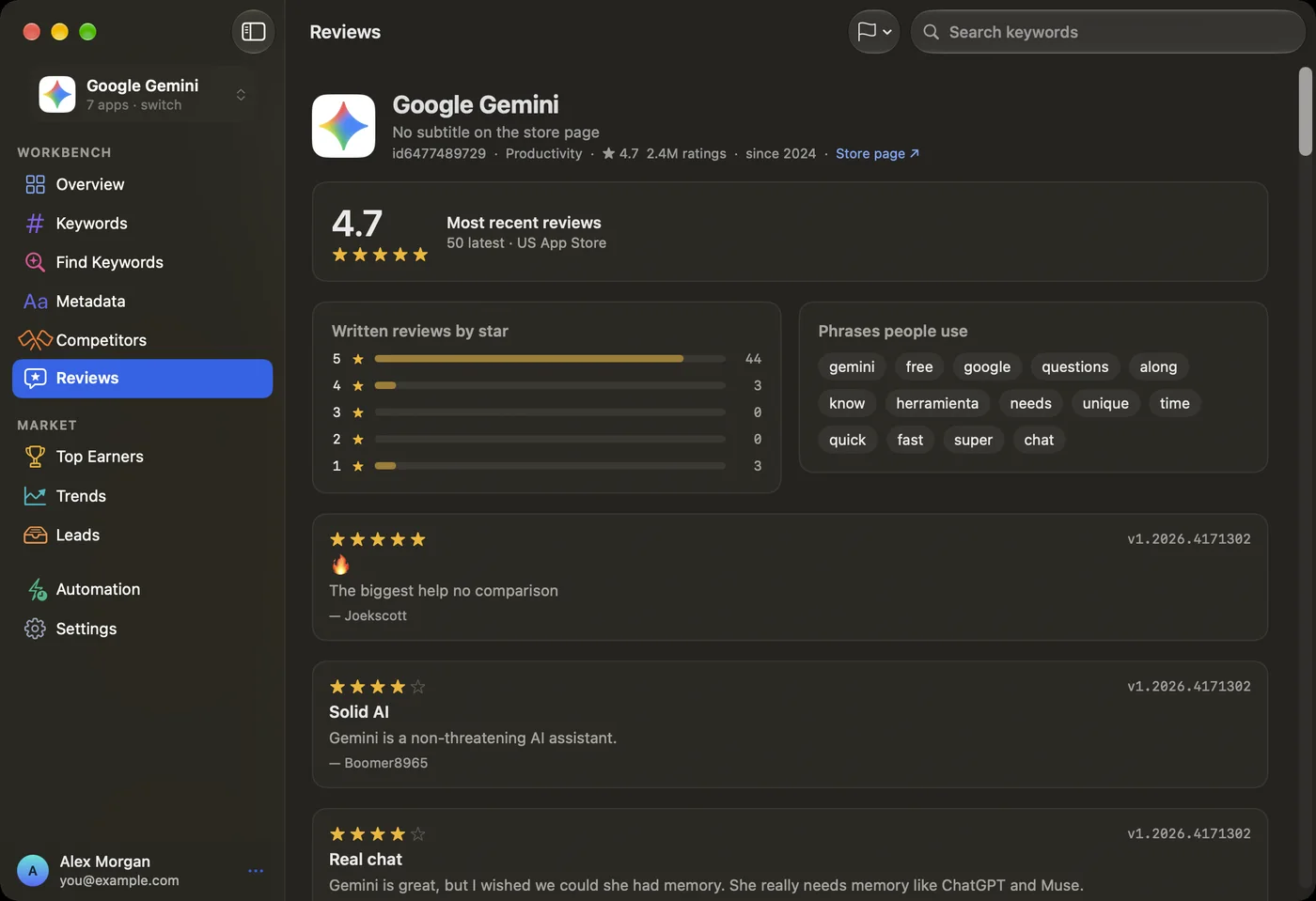
Reviews
Live ratings and the phrases users keep repeating.
Top Earners
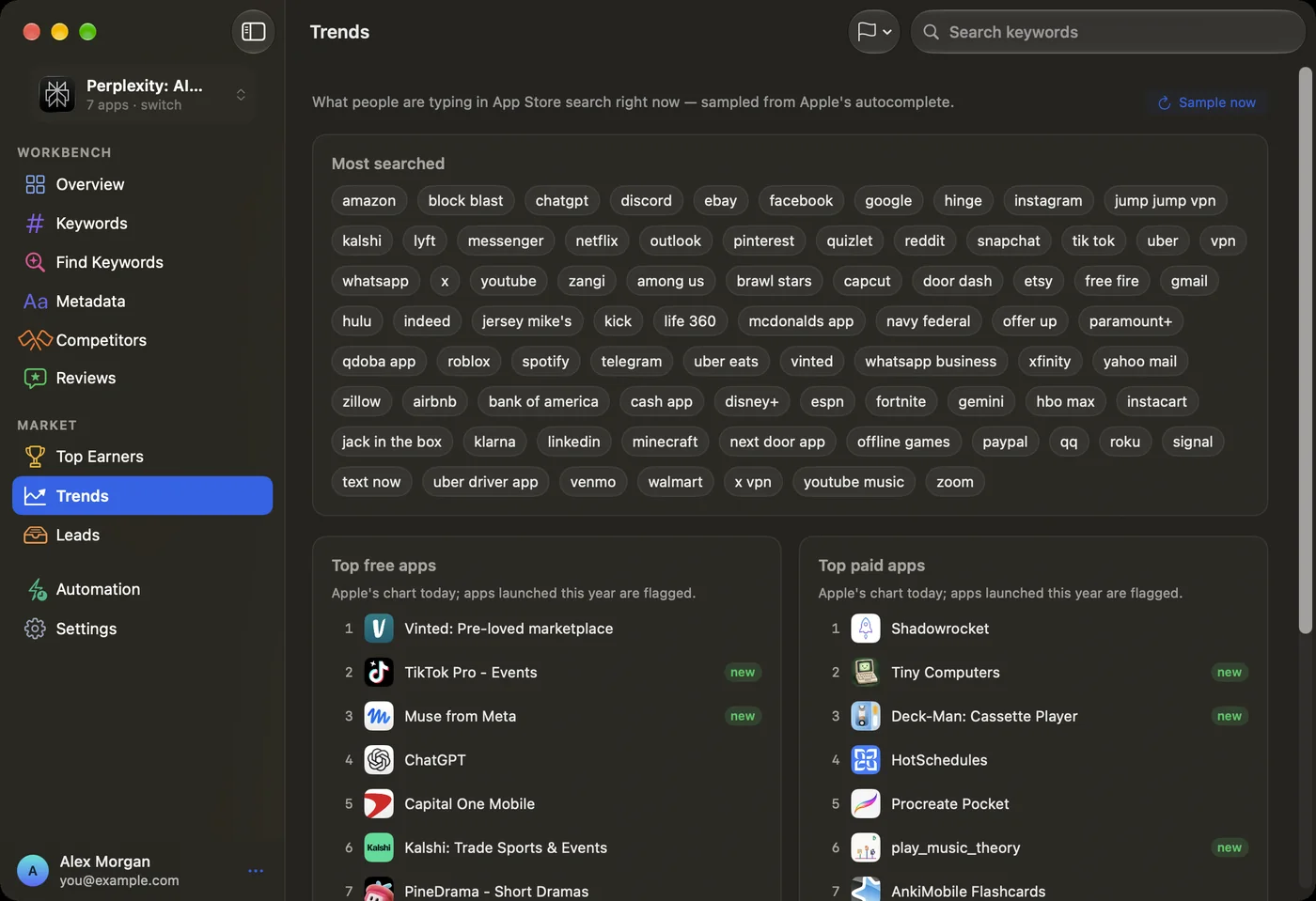
The real revenue chart — reach and monetization.
Trends
Rising searches and the top charts, storefront by storefront.

Quick ASO, native on your Mac.
The same eight workbenches in a fast desktop window. Sign in once with Google and your apps, keywords and plan are already there.
Included with every plan · requires macOS 26 or later
Estimates you can trust.
“Every rank and score is an estimate from Apple's public search, autocomplete and RSS — and it's labelled as one. Where a real figure isn't published — revenue, for one — Quick ASO models a range and says so, instead of passing a guess off as fact.”
Less guesswork, more shipping.
“I finally know which phrases move installs — and which are vanity. The ‘Move to Title' calls alone paid for the switch.”
“Seeing exactly who outranks me on each keyword changed how I write my subtitle. No more guessing at the competition.”
“The honesty is the selling point. Revenue shows up as a range and says it's an estimate, so I actually believe the ranks it does show me.”
“Trends caught a rising phrase before it got crowded. I added it to my keyword field and climbed into the top 5 that week.”
“One native window for every ASO job. I stopped stitching together three different tools and a spreadsheet.”
“Reviews surface the words my users actually type. That's where half my new keywords come from now.”
You have them. We have answers.
Where do the ranks and scores come from?
Can I see another app's revenue or MRR?
Is my data private?
Does it run on my Mac?
Start free. Grow when you're ready.
Track your first app and its keywords at no cost — add apps, storefronts and automation when it pays off.
Give your rankings the workbench they deserve.
Start tracking the phrases that decide your installs — free, with your Google account.